

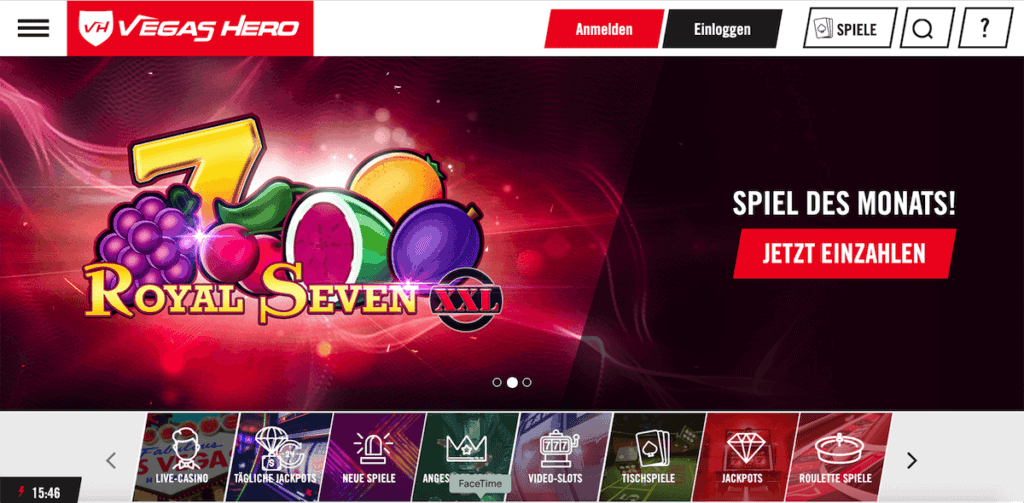
Mobile casino play has reshaped how we experience casino entertainment, and a purpose-built Android app delivers a degree of refinement that a mobile browser is unable to equal. At download app Vegas Hero Casino, we have committed substantial resources in our own Android application to offer UK players instant access to countless slots, table games, and live dealer tables, all optimised for touchscreens and on‑the‑go play. This guide walks you through everything you need to understand about our Android casino app, from device support and installation right through to the in‑app features that guarantee every session remains secure, swift, and genuinely rewarding. Regardless of whether you are new to mobile casinos or looking to switch from a desktop setup, the following sections will respond to your practical questions and assist you in getting started with confidence.
Why an Android Casino App Outperforms the Mobile Browser
When you load a casino through Chrome or another mobile browser, every page, graphic, and game asset must be loaded on demand, which can create small but perceptible delays, especially on slower connections. A native Android app, by contrast, stores core interface elements and frequently used assets directly on your device. This means the lobby, game thumbnails, and account tools appear almost immediately after the initial installation. At Vegas Hero Casino, we have designed our app to pre‑cache the most important components so that navigation between slots, live casino, and the cashier feels smooth and responsive, even when you are switching between Wi‑Fi and mobile data.
Beyond raw speed, an app offers capabilities that a browser tab cannot offer. Push notifications keep you notified about new game releases, time‑sensitive promotions, and tournament reminders without you needing to log in and check manually. Biometric authentication, such as fingerprint or face unlock, lets you sign in with a single tap, eliminating the friction of typing passwords on a small keyboard. Our app also runs in full‑screen mode by default, removing the browser address bar and Android status icons so that every pixel of your screen is devoted to the game. For UK players who appreciate both convenience and immersion, the app experience is a clear step up from the mobile web.
Ways to Get and Install the Vegas Hero Casino Android App
Getting the app is straightforward, but because UK regulations limit real‑money gambling apps on the Google Play Store, we provide the installation file straight through our website. Start by opening your mobile browser and going to the Vegas Hero Casino homepage. Search for the dedicated Android app banner or the menu link called “Mobile App,” which will take you to the download page. There you will see a clearly marked button to download the APK file. Press it, and your browser may show a warning about downloading files from this source; you can safely proceed, as our APK is digitally signed and regularly scanned for malware.
Turning On Installation from Unknown Sources
Before the APK can be put in, your Android device needs authorization to run apps gotten outside the Play Store. On most modern handsets, when you press the downloaded file, the system will ask you to allow installations from your browser or file manager. If you are using an older version of Android, you may have to visit Settings, then Security or Apps, and turn on “Unknown sources” for the specific app you are using to open the file. This step is a standard Android safeguard, not a sign of risk. Once the permission is allowed, the installation will go ahead normally, and you can disable the setting afterwards if you wish.
After you give the necessary permission, the installer will walk you through a familiar sequence of screens. Tap “Install” and wait a few seconds while the package is unzipped and verified. When the process ends, you will notice the Vegas Hero Casino icon in your app drawer. Open it, and you will be met by the login screen. If you already possess an account with us, simply input your credentials and, if you have turned on biometric login on a compatible device, you can save your fingerprint or face right away. New players can carry out the registration process inside the app, which takes only a couple of minutes and demands standard identity verification in line with UK Gambling Commission rules.
Performance, Data Usage, and Battery Life
We recognize that UK players often move between Wi‑Fi at home and mobile data while commuting, so we have fine-tuned the Vegas Hero Casino app to be easy on both data allowances and battery reserves. Game assets are streamed progressively, meaning a slot will retrieve its base symbols and background first, then load bonus animations only when triggered. On a typical 4G connection, an hour of slot play uses roughly 20 MB to 40 MB of data, which is comparable to streaming music at standard quality. Live dealer tables use slightly more, around 60 MB to 100 MB per hour, because of the video feed, but the app automatically adapts resolution based on your connection strength to avoid buffering.
Battery drain is another common concern. The app limits its frame rate at 30 frames per second for most games, which is perfectly smooth for casino play while drawing less power than the 60 fps mode often used by graphics‑intensive mobile titles. We also recommend enabling Android’s built‑in battery optimisation for the app, which does not affect gameplay but cuts background activity when the screen is off. In our internal testing on a mid‑range device released in 2022, a full charge supported over four hours of continuous slot play, giving you generous session time whether you are relaxing at home or on a long journey.
Protection and Fair Play on Smartphone
Any transaction and game round on the Vegas Hero Casino Android app is secured by the same encryption standards that protect our desktop platform. The app uses TLS 1.3 to encrypt data in transit, and all sensitive information, including payment details, is tokenised so that your full card number is never stored on the device. We also employ certificate pinning, which prevents man‑in‑the‑middle attacks even on untrusted Wi‑Fi networks. These measures are regularly audited by independent testing agencies, and our operations are licensed and regulated by the UK Gambling Commission, so you can be confident that the app meets the rigorous fairness and safety requirements set out for British players.
Responsible gambling tools are built directly into the app’s main menu, not hidden away in a separate portal. From the “Safer Gambling” section you can set deposit limits, loss limits, and session time reminders in a few taps. Reality checks pop up at intervals you choose, displaying your elapsed time and net position, and you can activate a cooling‑off period or self‑exclusion without needing to contact support. We also provide a quick link to GAMSTOP, the UK’s national online self‑exclusion scheme, right from the app dashboard. These features are designed to help you stay in control, and they work identically whether you are playing on mobile or desktop.
Mobile-Only Features You Will Not Discover on the Desktop Site
The mobile app is not just a compressed version of our desktop casino; it offers several functions that leverage the hardware in your pocket. One of the most valued is the portrait‑mode game lobby, which lets you browse slots and tables conveniently with one hand while riding a train or waiting in a queue. Swipe gestures take the place of mouse clicks, so browsing games by provider, volatility, or theme feels natural. Our search function also supports voice input on Android, meaning you can utter the name of a title like “Starburst” and jump straight into the action without typing anything.
Another notable is the integrated deposit shortcut that utilizes fingerprint authentication. Once you have set up a payment method, you can deposit in seconds by clicking the cashier icon, choosing an amount, and verifying with your fingerprint. The app also hosts exclusive mobile‑only promotions from time to time, which are flagged by a subtle badge on the lobby tile. Push notifications, which you can customize in the settings menu, notify you when a live dealer table has a free seat or when a new slot release reddit.com launches, guaranteeing you never miss an opportunity that is important to you.
Moving Between Desktop and Mobile Effortlessly
One of the biggest advantages of a combined account system is that you can initiate a gaming session on your laptop and proceed on your Android phone without skipping a step. Your balance, bonus progress, and loyalty points are aligned in real time across all platforms. For example, if you redeem a free spins offer on the desktop site in the morning, those spins will be ready for you inside the app when you open it later in the day. The same holds true to live casino history and favourite games; any title you mark as a favourite on one device appears in your personalised lobby on the other.
Withdrawals and deposits are equally fluid. A withdrawal requested via the app will be handled according to the same timelines as one made on a computer, and you can monitor its status from either platform. The app also mirrors your communication preferences, so if you have chosen SMS or push alerts about your account, you will receive them regardless of which device you used last. This continuity eliminates the friction that sometimes accompanies multi‑device play and lets you slot a few spins or a hand of blackjack into the natural gaps of your day without any administrative hassle.
Device Compatibility and Platform Requirements
We built the Vegas Hero Casino Android app to run smoothly on a diverse array of devices, from flagship handsets to more modest mid‑range models that are popular across the United Kingdom. The application requires Android 6.0 (Marshmallow) or later, which encompasses the vast majority of phones and tablets released since 2015. We recommend at least 2 GB of RAM for efficient multitasking, though the app itself is crafted to be lightweight and will still work effectively on devices with 1.5 GB if background processes are kept to a minimum. Screen resolution is not a barrier; the interface scales intelligently from compact 5‑inch displays up to large tablets, retaining touch targets and text legibility.
Because hardware and operating system updates are released regularly, the most precise and up‑to‑date compatibility information will always be located on the official Vegas Hero Casino promotions page. Before downloading, we suggest confirming that your device has at least 150 MB of free storage for the installation file and subsequent cached data, and that you are using a stable version of Android rather than a developer preview. The app does not support rooted devices or custom ROMs that evade security controls, as these can affect the integrity checks we carry out to secure your account and our gaming platform.
Obtaining Help As You Want It
We have built customer support right into the Android app so that you do not have to leave a game to find answers. A live chat icon appears at the bottom of the lobby and inside the main menu, connecting you to a trained agent within a minute during operational hours. The chat interface is optimized for mobile, with large tap targets and the ability to attach screenshots if you want to illustrate a technical query. Outside live chat hours, you can leave a message and receive an email response, or browse the integrated help centre that covers topics from verification documents to game rules.
For less urgent questions, the app features a searchable FAQ library that loads quickly and is organised by category. Common issues such as forgotten passwords, deposit failures, or bonus wagering requirements are explained with step‑by‑step guidance. We also maintain a service status indicator on the login screen, which will tell you at a glance if any part of the platform is undergoing maintenance. Our goal is to resolve most queries within the app itself, but if you ever need to speak with someone directly, the contact details for our UK‑based support team are always just a tap away.
